
TLDR
A sharp paper trimmer beats scissors every time.
Cut with clear guides (crop marks or cut lines), not vibes.
Round corners with a 1/8 inch corner rounder if you want the deck to feel normal.
Cut one test card first. Always.
If you’re cutting a full Commander deck and you value your weekend, outsourcing the cutting is a valid life choice.
If you’re trying to master cutting MTG proxies cleanly, you’re doing the least glamorous part of proxy making. This is the “arts and crafts” section of the hobby where your reward is… cards that do not look homemade.
Let’s get you the cleanest results with the least drama.
Before you cut anything, make sure your file is actually the right size
Most “my cuts are off” problems start earlier than the cutting step.
Two things to verify:
Print scaling is 100% (Actual Size). If your print dialog scales the page, your cut guides stop matching reality.
Your layout includes bleed if you want edge-to-edge art. If the art stops exactly at the trim line, any tiny drift becomes white slivers. Drift is normal. Your hands are not a die cutter.
If you want the full numbers (trim, bleed, safe area) for MTG size cards, bookmark The Dimensions of a Magic Card: A Complete Guide. It will save you from “why do I have white edges” pain later.
The tools, ranked by sanity
You can cut proxies with whatever is in your kitchen drawer. You can also cut a steak with a spoon. Both are technically possible.
Option A: The budget setup (works, but slower)
Metal ruler
Sharp craft knife
Cutting mat
Pros: precise, cheap
Cons: slow, blade safety matters, and one slip turns your Black Lotus into Modern Horizons “full art finger”
Best for: small batches, single test sheets, people who are patient and also still have patience left.
Option B: The best value tool (most people should do this)
A sturdy paper trimmer (rotary or guillotine)
Pros: fast, repeatable cuts
Cons: cheap trimmers can drift, flex, or lie to you about being square
Best for: 30 to 200 cards, aka “I proxy sometimes and I want my evening back.”
Option C: The “I’m doing 200+ cards” approach
Heavier-duty cutter, stack cutter, or a real production setup
Pros: speed
Cons: cost, and mistakes scale up fast too
Stack cutting sounds efficient until the bottom sheet shifts and you invent a new custom format called “Commander, but all my cards are slightly trapezoids.”
The one add-on that changes everything
1/8 inch corner rounder
Corner rounding is optional. It is also the fastest single upgrade from “home project” to “this feels like a normal deck in sleeves.”
Cutting MTG proxies cleanly: guides are non optional
If you are freehanding cuts without guides, you are basically asking your hands to become a CNC machine. They will decline.
What counts as a “guide” that actually helps?
Crop marks
Thin cut lines between cards (grid lines)
A border gap between cards that gives you a clear lane to cut
Goal: every cut has a clear visual target, and every card ends at the same trim size.
If your sheet has cards but no guides, fix the file first. Cutting is not the stage where you improvise.
The alignment tricks that make you look competent
These are the small habits that separate “clean deck” from “I tried my best.”
1) Cut in two passes
Pass 1 (rough cut): separate rows and columns with a little extra margin
Pass 2 (final trim): bring each card to exact size
Why it works: it reduces cumulative error. If you try to nail perfection while slicing through a whole sheet, tiny drifts stack up fast.
2) Cut fewer sheets at once
Even if your trimmer claims it can cut 10 sheets, it usually means “10 sheets, if you enjoy inaccuracy.”
Start with one sheet until you trust your setup. Then increase slowly.
3) Keep the paper tight against the stop
Most angled cuts happen because the sheet is not fully seated against the trimmer guide, or it slips mid cut.
Do this:
push the sheet firmly into the corner stop
hold pressure near the cut line (not out in the floppy part of the page)
cut with a smooth, controlled motion
4) Rotate your stack every few cuts
If your trimmer is slightly off square (many are), rotating the paper occasionally can reduce visible “lean” across a batch.
It is the cutting equivalent of rotating your tires. Not glamorous, but it keeps things consistent.
5) Use a “sacrificial calibration cut”
When you sit down to cut a batch:
cut one test card first
sleeve it
compare against a real MTG card in the same sleeve
If it is even slightly big, you will feel it every shuffle. Fix it now, not after card 87.
Corner rounding: optional, but it changes everything
Sharp corners:
catch sleeves
feel wrong in hand
look like you cut them out of a cereal box (because you did, spiritually)
A 1/8 inch corner rounder gets you close to standard trading card corners. If you play the deck more than once, it is worth it.
Corner rounder tips:
Round corners after final trimming, not before
Keep the card flush in the punch, or you get uneven corners
If the punch starts tearing instead of cutting, it is dull or the stock is too thick for that tool
How to avoid white edges while cutting
White edges happen when the cut drifts even a tiny bit off the printed art.
You fix that with bleed and where you cut.
The simple rule
If your file has bleed, you can cut right on the trim line and still hit color.
If your file does not have bleed, you are gambling.
Practical move: If you have cut lines, aim to cut a hair inside the trim line, not outside it. Outside the line is where white edges live.
If you want the full bleed and safe area explanation (and the exact sizes), this is the right rabbit hole: The Dimensions of a Magic Card: A Complete Guide.
A clean “home cutting” workflow
This is the boring process that saves time overall.
Print one test page on plain paper
Cut one card
Sleeve it and compare size against a real card
Confirm your print scaling is 100%
Only then print on your real stock and cut the batch
Yes, it is boring. No, skipping it does not save time.
If you want the broader “print then finish” context, Mastering Printing MTG Cards: A Step-by-Step Guide pairs well with this cutting guide.
When home cutting stops being “fun” and starts being “a job”
Here’s the honest tradeoff:
Home cutting is cheap, flexible, and surprisingly satisfying when it goes well.
It is also slow, inconsistent at scale, and easy to mess up when you are tired.
If you are cutting:
a full Commander deck (100 cards)
multiple decks
a cube
or anything you want to look consistent without spending your whole evening trimming paper
At some point the right answer is: stop doing production work in your kitchen.
How PrintMTG cuts proxies (and why it matters)
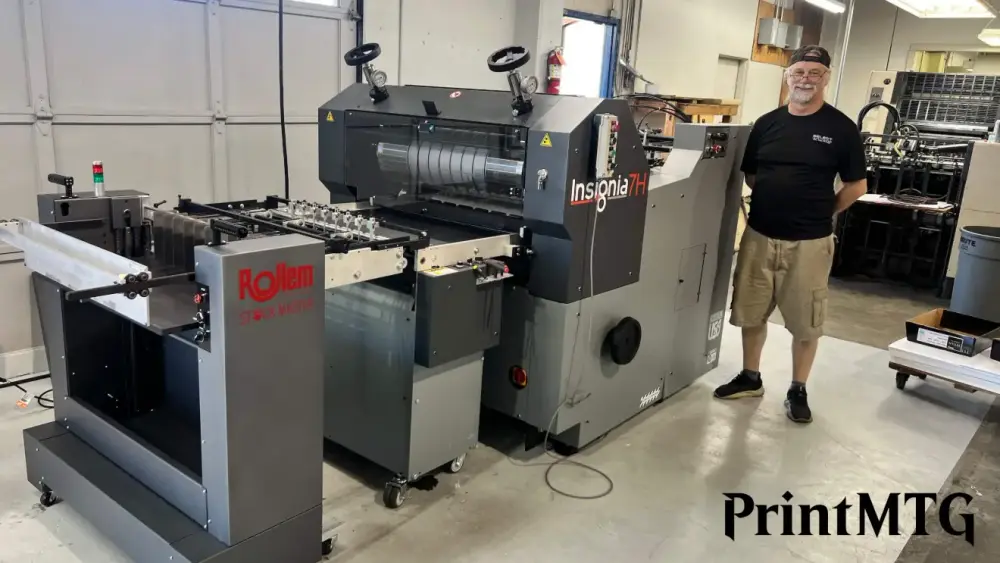
At PrintMTG, we cut proxies using a high-end die cutter with dies custom made to the exact shape and size of Magic cards.
What that means in human terms:
Consistency: every card hits the same trim size and corner shape
Accuracy: no “this one is slightly taller so it shuffles weird” outliers
Speed: cutting a full deck is not an evening project
Less waste: fewer ruined sheets from drift, flex, and hand fatigue
If you like printing at home but hate the cutting part, that is not a character flaw. It is just you correctly noticing that production finishing is annoying.
If you want the bigger picture of our materials and finishing choices, this is the overview: How We Print MTG Proxies.
Troubleshooting: the 5 common cutting problems (and fixes)
1) “My cuts are slightly angled”
Likely cause: the sheet is not tight against the guide, or the trimmer rail flexes.
Fix: cut fewer sheets, slow down, and press the sheet into the stop every time.
2) “My cards are the right height but wrong width”
Likely cause: you are trimming one axis accurately, but your second cut is drifting.
Fix: do the two-pass method, and use a consistent “final trim” reference edge.
3) “I get tiny white slivers on one side”
Likely cause: no bleed, or you are cutting outside the trim line.
Fix: add bleed, cut slightly inside the trim line, and check print scaling.
4) “Corners don’t match and sleeves catch”
Likely cause: no corner rounding, or inconsistent rounding alignment.
Fix: use a 1/8 inch corner rounder and seat the card flush each time.
5) “Nothing lines up with my cut lines”
Likely cause: print scaling is not 100%.
Fix: print at Actual Size, then redo the test card before cutting the batch.
FAQs
What’s the best tool to cut proxies cleanly?
A sturdy paper trimmer is the best blend of speed and consistency for most people. Craft knife plus ruler is precise, but slower.
Do I need a corner rounder?
Not strictly, but it improves feel and reduces sleeve catching. If you plan to play the deck repeatedly, it is one of the biggest quality jumps.
What size should the final card be after cutting?
Target 2.5 inches x 3.5 inches for MTG size cards.
How do I avoid white edges while cutting?
Use bleed in your art, then cut on the trim line (or slightly inside it). No bleed means white edges are always one tiny drift away.